
Research

re:Fetch

High-fidelity screenshots rendered directly on your Figma canvas.

Capture and bring high-resolution screenshots of publicly available web pages directly into Figma for research and reference.

  • Keep your focus in Figma instead of bouncing between browser tabs and screenshots.
  • Maintain live references of competitors or production environments directly inside the design file.
  • Capture pixel-accurate web pages across responsive breakpoints for faster research and comparison.
How it works

Up and running in minutes.

High-fidelity screenshots rendered directly on your Figma canvas.

re:Fetch Preview
01

URL entry

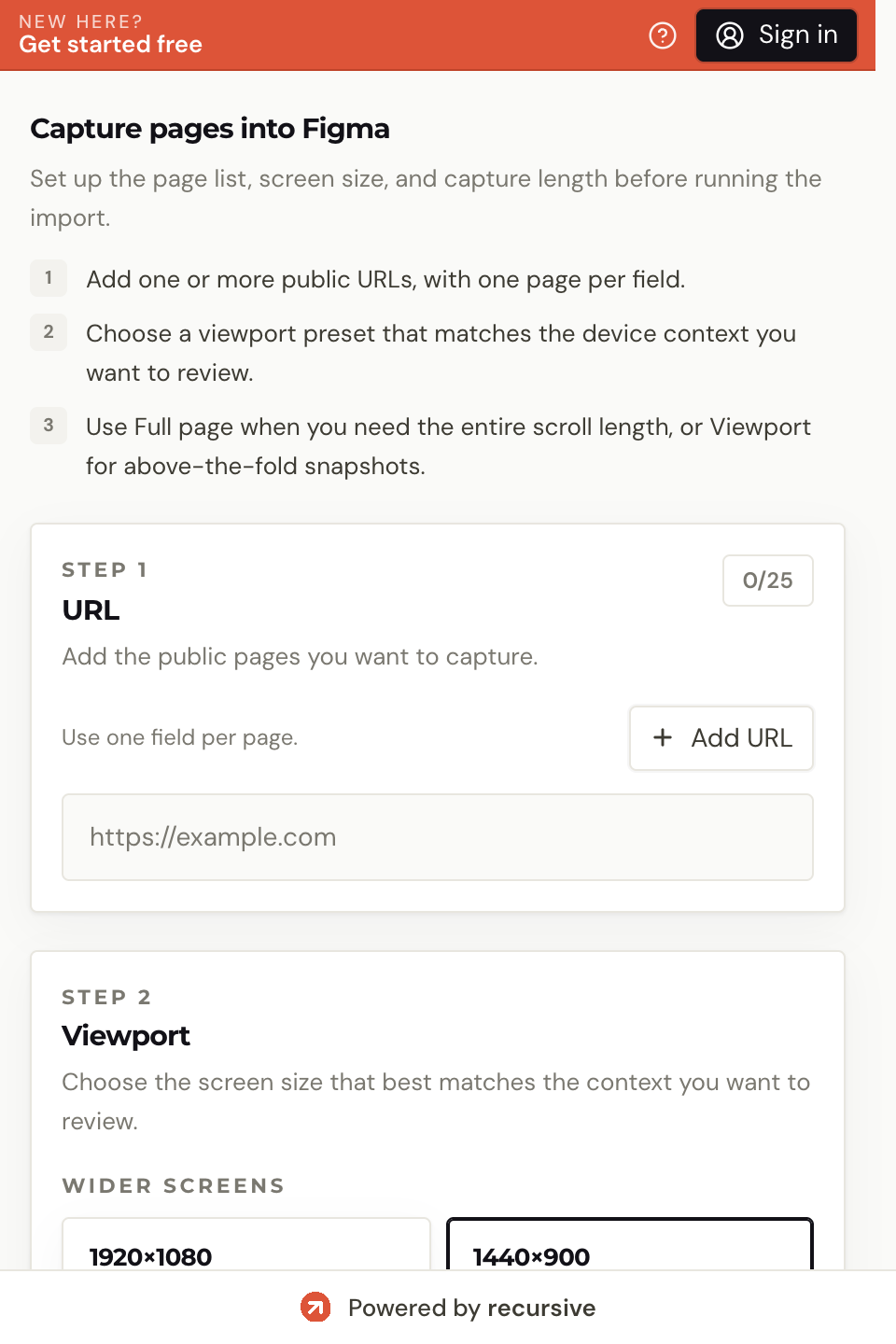
Paste the public webpage link you want to reference. You can add up to 25 URLs at once.

02

Configuration

Select target breakpoints and capture mode such as above-the-fold or full-page.

03

Remote rendering

The backend renders the site exactly as it appears in a modern browser.

04

Canvas reconstruction

Images stream back and are reconstructed on your canvas as organized frames with labels.

Who it's for

Real workflows. Real results.

01

Competitive audit boards

Designers and strategists researching the market

You need a gallery of competitor pages without manually screenshotting and arranging them.

re:Fetch captures multiple public URLs and places them into organized frames directly on the canvas.

02

Design research

Researchers and product designers collecting references

You want a reusable library of webpage references for review, archiving, or inspiration.

Build reference boards much faster with high-fidelity captures that stay inside the working file.

03

Responsive spec matching

QA and front-end teams comparing production to design

You need to verify what is live at a specific breakpoint against the current design work.

Capture the exact page state at the chosen viewport and compare it beside your design without leaving Figma.

Pricing

Choose the plan that fits your workflow.

Each run of re:Fetch costs 5 credits. Use a one-off credit pack or subscribe when this workflow becomes part of your routine.

Pay-as-you-go

Perfect for occasional use

$6

one-off

Buy credits
  • 120 screenshots or 600 credits
  • 1 screenshot = 5 credits
  • Desktop and mobile breakpoint support
  • Tiled capture for long pages
  • High resolution captures
  • Batch capture up to 25 URLs at once
  • Credits expire after 30 days
  • No recurring fees
🗓️

Monthly

For regular users

$12

per month

Start monthly
  • 600 screenshots / month
  • Desktop and mobile breakpoint support
  • Tiled capture for long pages
  • High resolution captures
  • Batch capture up to 25 URLs at once
  • Covers only the Fetch plugin
  • Usage does not roll over
Unlimited
👑

Unlimited

For power users

$24

per month

Go unlimited
  • 1500 screenshots / month
  • Desktop and mobile breakpoint support
  • Tiled capture for long pages
  • High resolution captures
  • Batch capture up to 25 URLs at once
  • Covers only the Fetch plugin
  • Subject to fair use policies

Start with 100 free credits on signup. Top up or subscribe when you need more capacity.

Frequently asked

Questions & answers

No. re:Fetch can only access publicly available URLs.

Effectively unlimited. The plugin uses tiling to bypass Figma’s 4096px limit.

You can queue up to 25 URLs in a single batch operation.

Free plan available

Run your first re:Fetch task free.

Start with 100 free credits — no credit card required. Each re:Fetch run costs 5 credits. Upgrade when the workflow earns its place.